

reviews
How to trace a sensor value through Arduino’s VENTUNO Q ROS 2 bridge
Arduino’s new bridge connects a sketch to ROS 2 through Linux. Start with a Linux-only example, then trace one harmless message from the microcontroller.

Media credits, sources and reuse details ↓
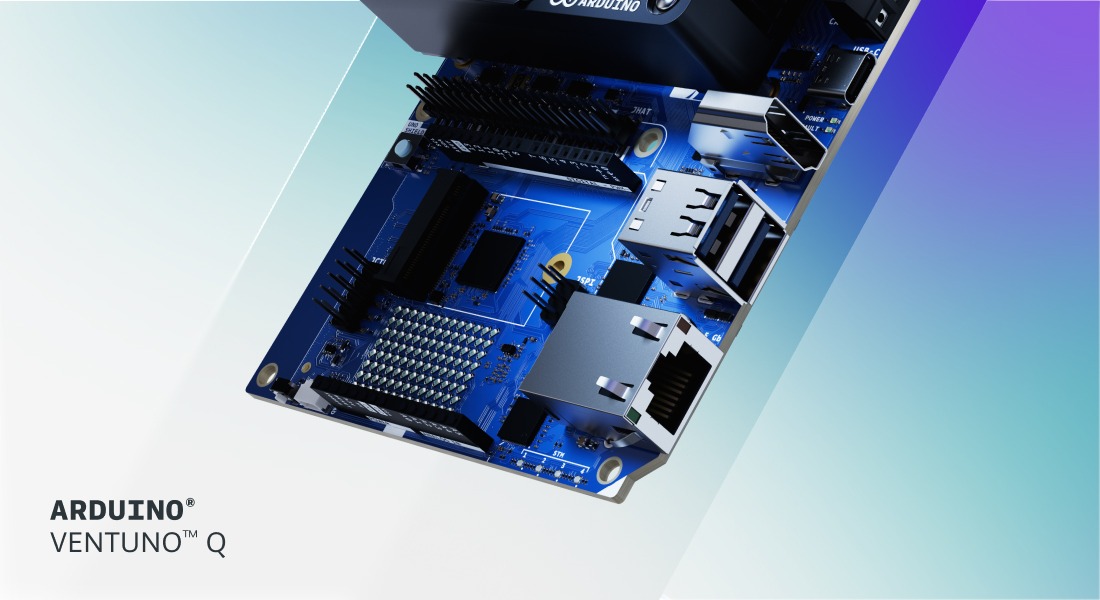
Image: Arduino Team, VENTUNO Q editorial product graphic, CC BY-SA 4.0. Original file unchanged. Arduino’s VENTUNO Q product graphic from its 25 August 2026 editorial post. It shows the board covered in this guide. The graphic contains no ROS 2 performance evidence. Arduino and VENTUNO are trademarks of Arduino S.r.l. Exact graphic · Image source · Licence.
A simulated turtle can draw a perfect square on a screen while the sensor beside your board stays silent. Both can happen in a ROS 2 workshop. If you are using Arduino’s VENTUNO Q, the quickest way to find the missing step is to test the Linux side first, then trace one message from the microcontroller. Arduino’s new bridge write-up makes that boundary worth understanding.
Arduino published its account on 6 November. It says robotics engineer Giovanni Bruno presented the bridge at ROSCon Global in Toronto and again at ROSCon Italy on 3 November. The November story is about the software that joins two parts of the existing VENTUNO Q board. The repositories describe a work in progress. Arduino’s announcement.
Draw the boundary before you connect hardware
The VENTUNO Q has a processor that runs Linux alongside a separate microcontroller on the same board. Arduino’s base RouterBridge lets code on one side request work on the other. The ROS extension adds a sketch-side library and a Linux program called a proxy. The sketch can ask to publish a message, and the proxy is the part that exposes the interface to the ROS 2 system. For the current setup, Arduino’s library README calls for ROS 2 Jazzy, the running Arduino router service and the proxy. Firmware library README · Linux proxy README.
Draw three boxes for the sketch, the router and the proxy. Label which side of the board each belongs to. If a sensor value never appears on the Linux side, the drawing gives the next person somewhere to start. The sketch may still be reading the sensor. The Linux part may still be able to send its own messages. Finding which test passes is more informative than rebooting everything at once.
Use the guide for the board on your desk
The announcement links beginner lessons for UNO Q. Those lessons can teach ROS 2, and Arduino’s UNO Q setup guide uses a Docker container on Debian. Its VENTUNO Q tutorial installs Jazzy on Ubuntu 24.04, shows a simulation, then builds a publisher and a subscriber. The bridge repository lists VENTUNO Q as its only supported board at this check. Keep the two setup guides distinct, especially if a kit is simply marked Arduino Q in a shared inventory. VENTUNO Q setup · UNO Q setup.
Give each check one observable result
Start with Arduino’s Linux-only example and look for one publisher and one listener exchanging a test value. That confirms the first part of the setup. In a separate bench exercise, use a harmless changing value from the microcontroller, with moving equipment disconnected. Look for that specific value at the listener. Write down which services were running and the exact versions so another person can repeat the check.
Arduino’s library README includes sample message rates for a joystick example. The figures describe how often messages appeared in those setups. A project that depends on a response deadline also needs to know how long its own signal takes under load and what happens when it arrives late or stops. Record those as separate questions. PING did not run the example or measure that path.
Leave the next team a small record
If a workshop team in Accra hands a project to a class in Nairobi or a colleague in London, send the board model, operating system, ROS distribution, library revision, expected message and the last observed result. That list gives the next group a starting point even when their bench is set up differently. The key handover question is which of the two checks they can repeat with the equipment they actually have.
Begin with the simplest thing that should change on screen. Once that change crosses the board reliably in your own setup, the next experiment has a useful baseline. For a related maker example about the gap between an available resource and a reproducible build, see PING’s Steam Frame CAD guide.
Sources and disclosures
- Disclosure
- Source-based maker guide prepared with AI assistance for human editorial review. PING has not tested hardware, installed or run the software, timed signals, or interviewed the presenter.
- Declared media rights
- Licensed use; creator retains rights
- Sources and method
- Sources accessed 8 November 2026. The 6 November supplier announcement describes a 3 November ROSCon Italy presentation and an earlier Toronto appearance. Compatibility and prerequisites follow the current firmware and proxy repositories. The UNO Q name in the proxy’s flash subsection conflicts with its explicit VENTUNO Q-only compatibility statement and is not treated as support. VENTUNO Q and UNO Q teaching guides are separate. Their 22 September and 14 October dates are revisions. The supplier’s example topic rates cannot establish a response deadline. Image: Arduino Team, VENTUNO Q editorial product graphic, CC BY-SA 4.0. Original file unchanged. Arduino’s VENTUNO Q product graphic from its 25 August 2026 editorial post. It shows the board covered in this guide. The graphic contains no ROS 2 performance evidence. The original 1100 × 600 JPEG is the largest srcset entry for the lead graphic in Arduino Team’s 25 August editorial product announcement. Arduino’s Copyright Notice licenses arduino.cc editorial content under CC BY-SA 4.0 and no third-party exception is marked for this exact graphic. Preserve creator, source, licence, trademark acknowledgment and unchanged-file notice. Adaptations require ShareAlike, with no additional restrictions or implication of endorsement. This ledger registers the unchanged website still. Social, audio and video uses are outside this evidence record. No hardware tests, local availability claims, or new hardware launch claims. An exact cleared conference recording was not established. The related talks are held and the proposed original 60-second script has no export, playback, audio, transcript or caption QA. Four destination copies are UNSENT. Cover: Arduino’s VENTUNO Q product graphic from its 25 August 2026 editorial post. It shows the board covered in this guide. The graphic contains no ROS 2 performance evidence.
Reader comments
Comments are not open yet. When available, submissions will require free sign-in and editorial approval before appearing. PING does not promise a response.
Privacy information